Security
The Security settings let you control how your Powerlynx system is protected. They are grouped on a single page under Config → System → Security, so as new protection options are added they all live in one place.
Password Policy
The Password Policy lets you set how strong the passwords for your administrator accounts must be. Instead of relying on a single fixed rule, you decide the minimum length and which kinds of characters are required — so every person who manages your Powerlynx system has to use a password that meets your organisation's security standards.
Where to find it
Open Config → System → Security → Password Policy.
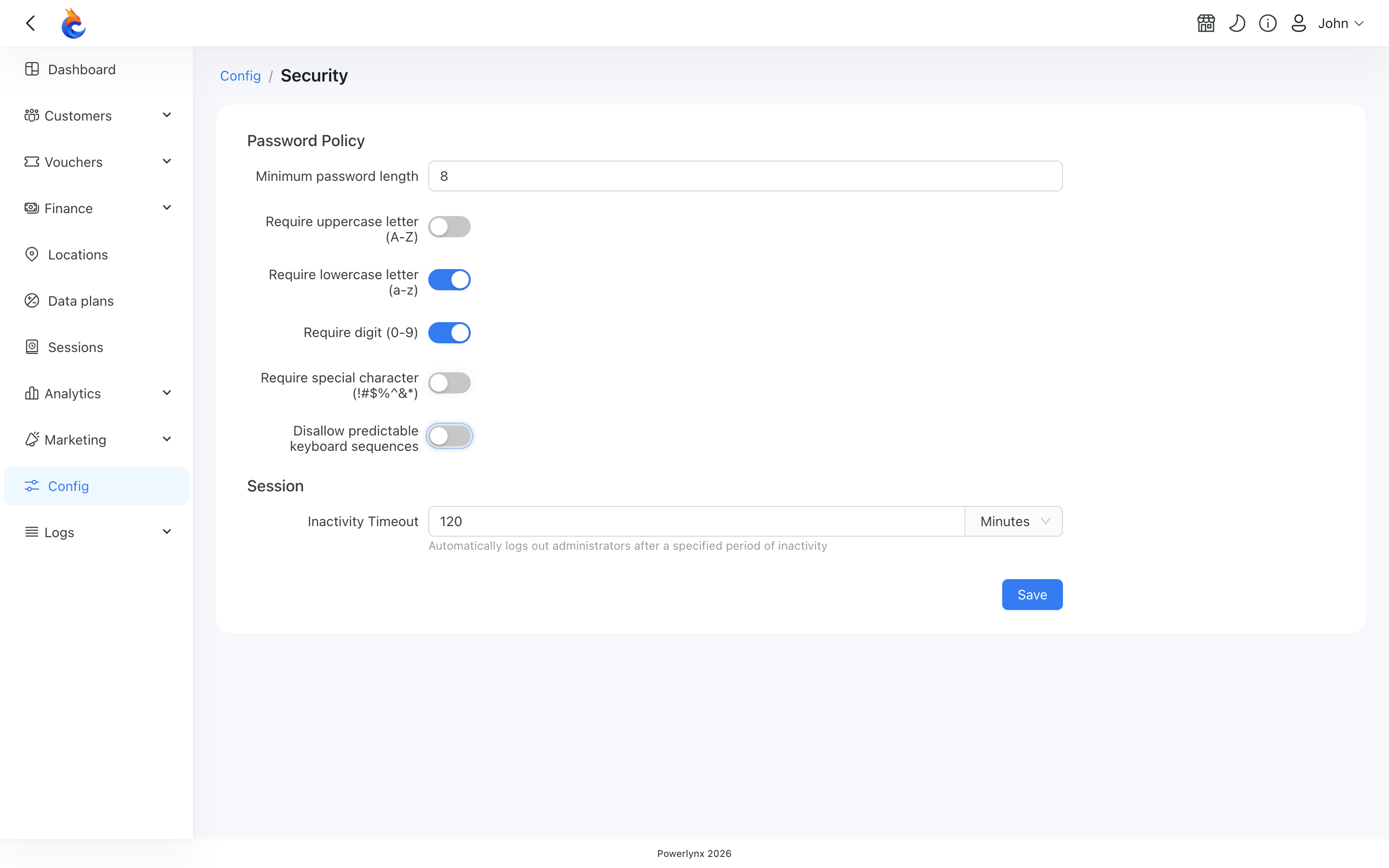
Out of the box the policy is enabled with strong defaults — a 14-character minimum with every character requirement turned on. Each account can then adjust the rules to fit its needs (the example above shows a more relaxed configuration).
The rules
Each rule can be turned on or off independently:
- Minimum length — how many characters a password must have at least (default: 14).
- Require uppercase letter — the password must contain at least one capital letter (A–Z).
- Require lowercase letter — at least one small letter (a–z).
- Require digit — at least one number (0–9).
- Require special character — at least one symbol such as
!,#,$,%,^,&,*. - Block keyboard sequences — rejects predictable patterns like
qwerty,12345,asdfghorabcdef(and the same patterns typed backwards). This stops easy-to-guess passwords even when they are long enough.
When the policy applies
The policy is checked whenever a password is set or changed:
- Creating a new administrator account.
- An administrator changing their own password.
- An administrator changing another administrator's password.
- Resetting a password through the "forgot password" flow.
- Signing up a new account during registration.
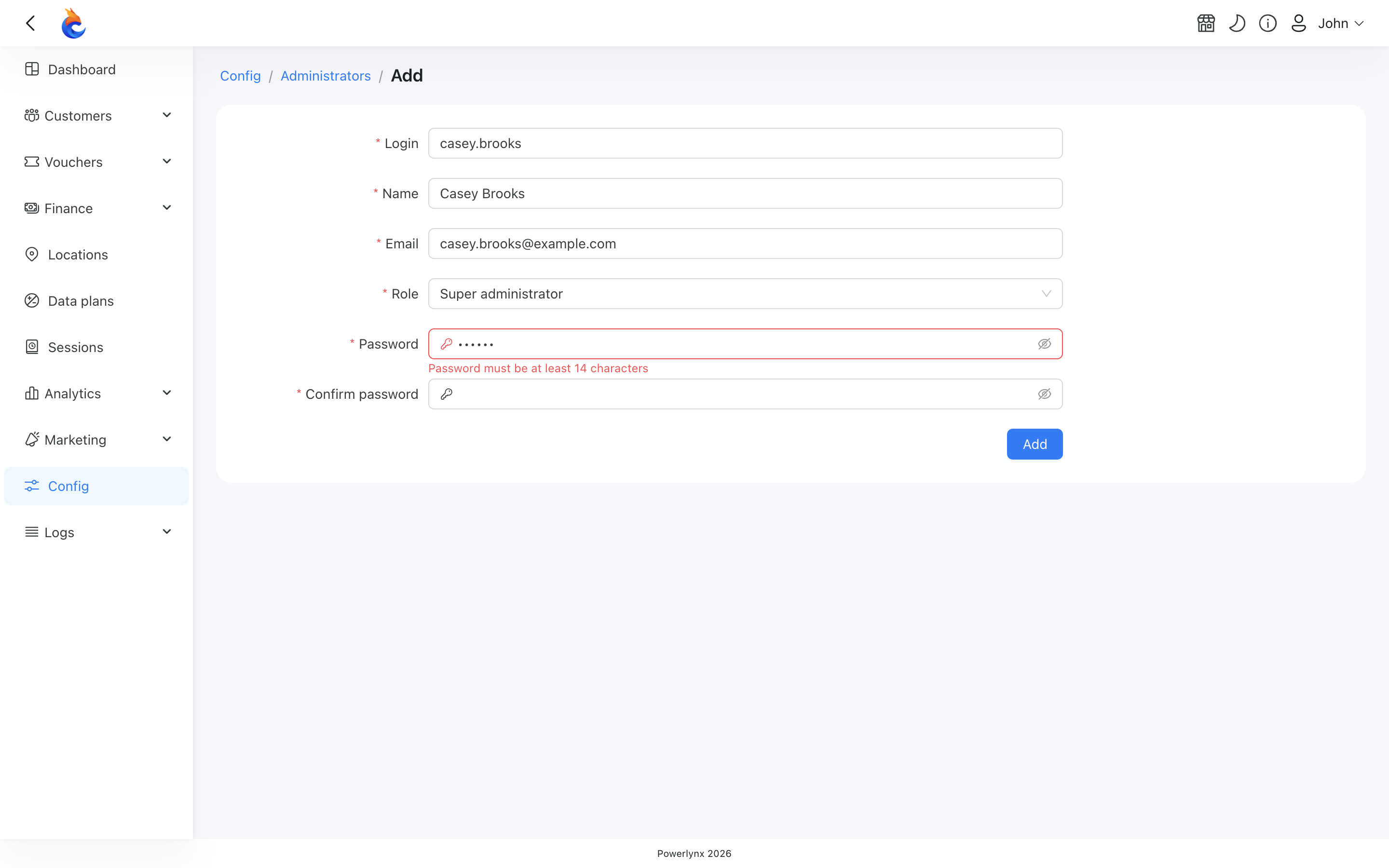
As you type a password, the requirements are checked in real time and any that aren't met are shown right below the field, so you know exactly what to fix before saving.
INFO
Existing administrators are not affected when you change the policy. Nobody is forced to reset their password and nobody is locked out — current passwords keep working until each administrator next changes their own.
TIP
Policy changes take effect immediately for the next password operation, but they are never applied retroactively to passwords that are already set. You can tighten or relax the rules at any time — for example, lowering the minimum length or turning off some character requirements for a less strict setup.
Session
Inactivity Timeout
The Inactivity Timeout decides how long an administrator session may sit idle before Powerlynx logs that administrator out automatically. It protects an unattended screen in a back office or at a reception desk, where the risk is not a stolen password but a browser left open.
Where to find it
Open Config → System → Security and find the Session section below the Password Policy.
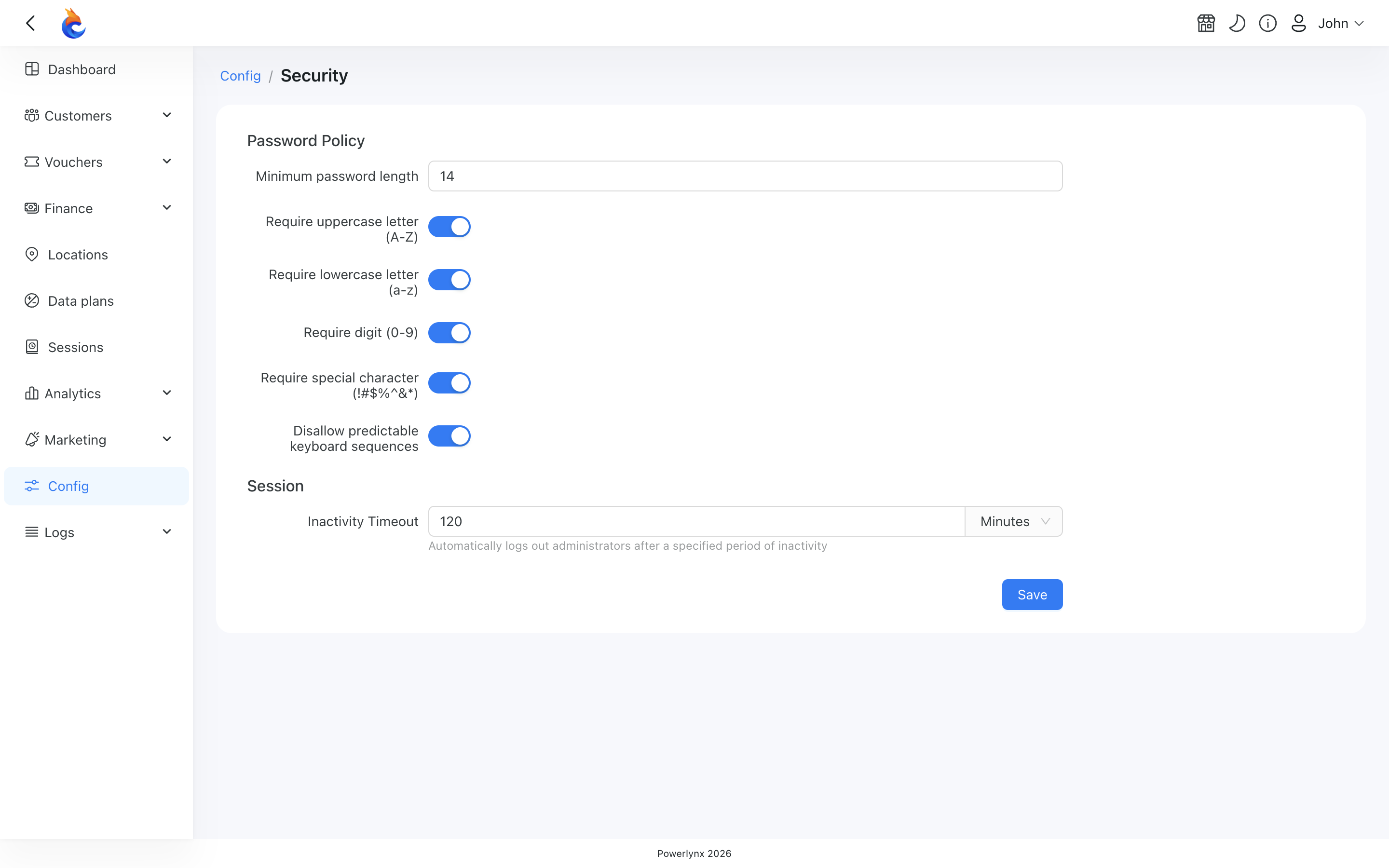
Enter a number and choose a unit — Minutes, Hours or Days — then click Save. The new timeout applies to every administrator from their next request onward; nobody has to log out and back in for it to take effect.
The default is 120 minutes. You can set anything from 1 minute to 30 days.
INFO
There is deliberately no "never" option. A session that never expires would keep an unattended browser logged in indefinitely, which is exactly what this setting exists to prevent. If you want long sessions, set a long timeout — up to 30 days.
WARNING
The Remember me checkbox has been removed from the administrator login page. It never actually did anything — it was shown on the form but no behaviour was ever attached to it. Session length is now controlled entirely by the Inactivity Timeout above, in one place, by a super administrator, instead of by each person ticking a box.
Single sign-on
Administrators can sign in with your company's identity provider instead of a Powerlynx password. This is configured on its own page — see SSO login for administrators.