OTT Voucher 🇿🇦
OTT Voucher is a prepaid digital payment voucher that lets you turn your cash into a PIN code you can use to pay online. Your customers can use OTT Voucher to pay for internet access through Powerlynx.
To set up OTT Voucher integration in Powerlynx, ensure you've selected country South Africa under Config/System/Localization.
Configuration
Before integrating OTT with Powerlynx, you need to have a OTT merchant account. If you don’t have one, please contact OTT to request it.
To integrate OTT with Powerlynx, you need three crucial credentials:
| Attribute | Required | Data Type | Description |
|---|---|---|---|
| API Username | YES | String | API username generated in your OTT account |
| API pass | YES | String | API password provided by OTT |
| API key | YES | String | API key provided by OTT |
| Vendor ID | YES | String | ID provided by OTT |
| Environment | YES | Select | For live accounts, use the "Production" value; for testing/sandbox accounts, use "Testing" |
In your Powerlynx account, navigate to the Config/Finance/Payment Gateways/OTT and insert them into the correspondingly named fields:
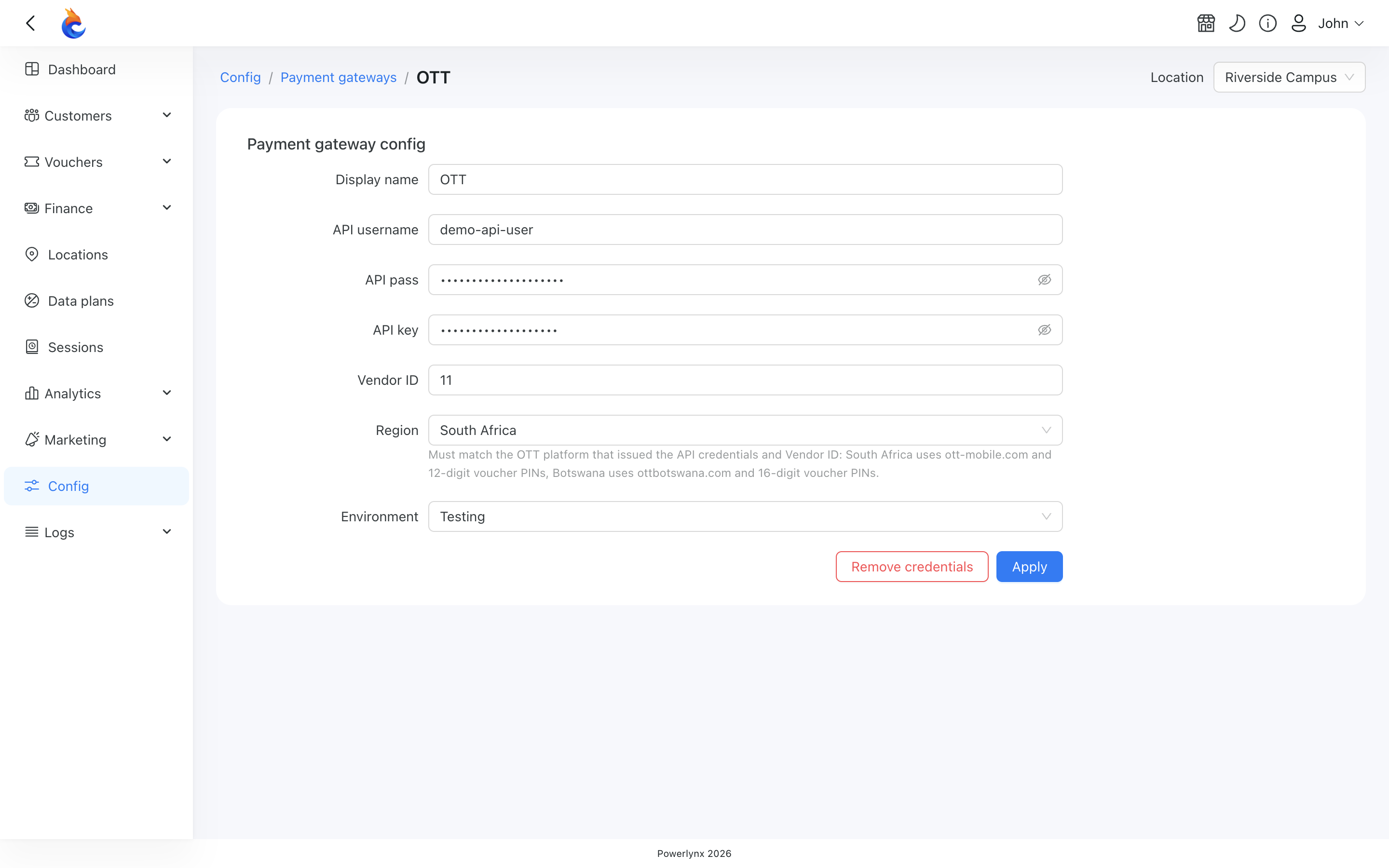
Pay attention to the "Location" filter — you can configure your OTT account as the default for the system (all locations will use this account which means all payments collected on all locations will go to this account), or you can select a specific location and link your account only with that location. Using this method, you can connect different OTT accounts to different locations in Powerlynx.
Enable Payment Gateway for a Location
The next crucial step is to enable OTT for a specific location. Navigate to Locations, select the desired location, and open the "Payment Gateways" tab. From there, enable OTT for this location:
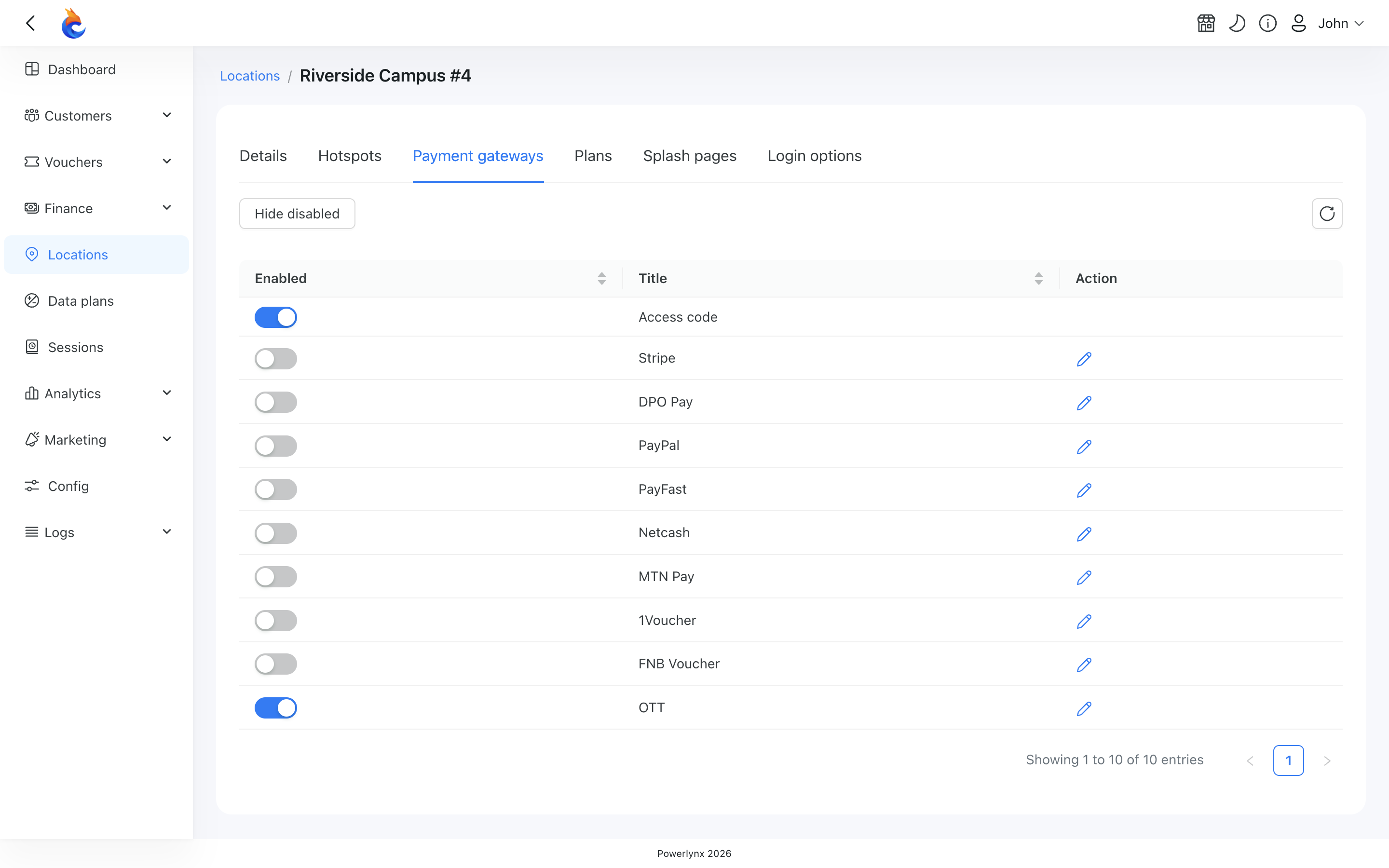
If it's disabled, your clients will not have the option to pay with OTT.
Buying a voucher with OTT
Customers can now buy a voucher on the splash page using OTT. After selecting a data plan, they will be redirected to this page:
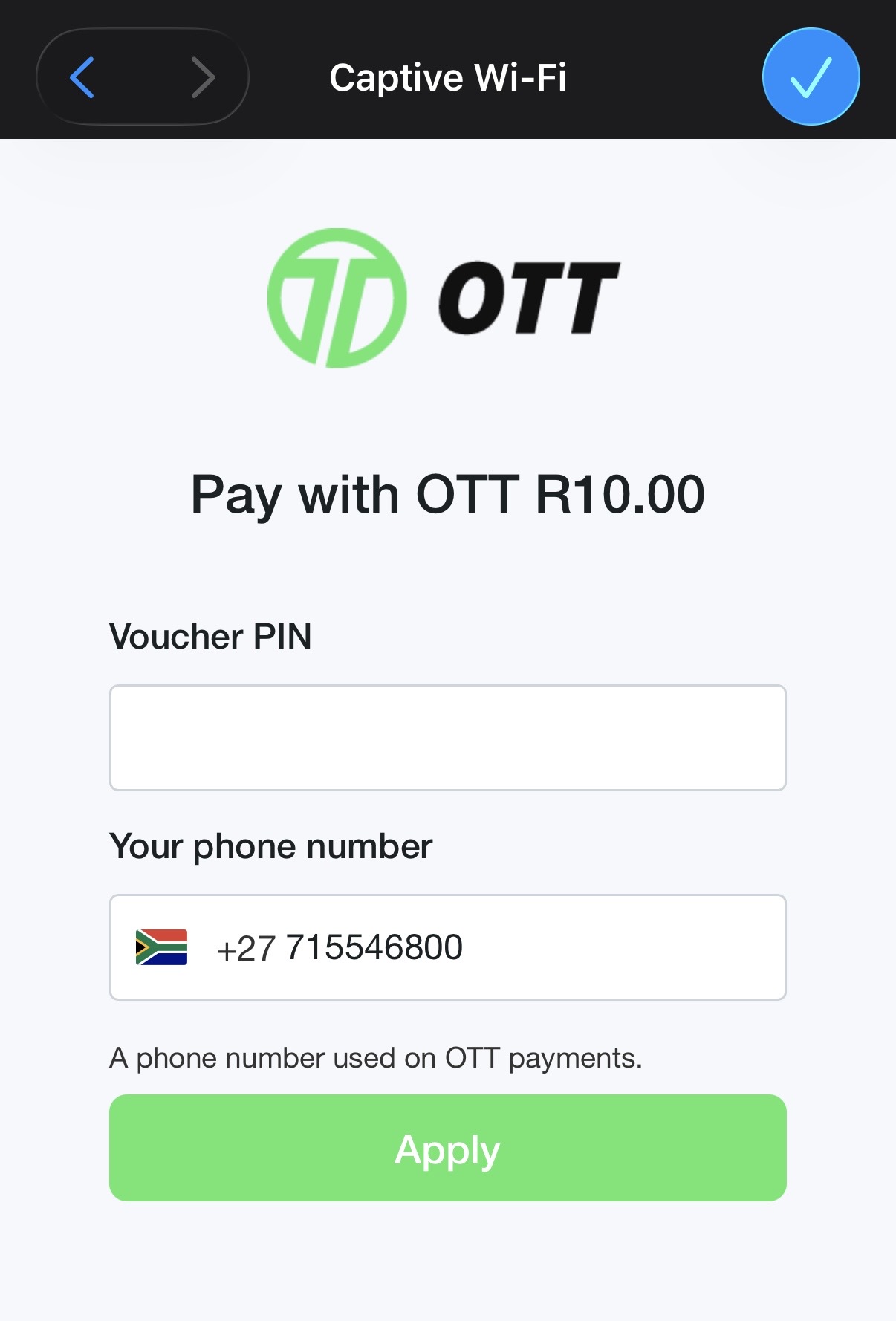
After entering a OTT PIN and clicking Apply, the system will connect to OTT and validate the provided PIN.
You can track OTT payments under Finance/Payments: