Dashboard
The Dashboard is the first page you see after logging in. It gives a quick picture of your network and sales. This page explains what each number means — especially the ones that are easy to misread.
Monthly cards

The four cards at the top count the current calendar month in your account's time zone. The smaller number underneath is the previous month. The cards can't be filtered.
- New customers — customer accounts created this month.
- Active customers — customers who came online at least once this month. This is about usage, not account status.
- Sales — the total amount of payments this month, before gateway fees and taxes.
- Activated vouchers — vouchers activated for the first time this month.
Online customers
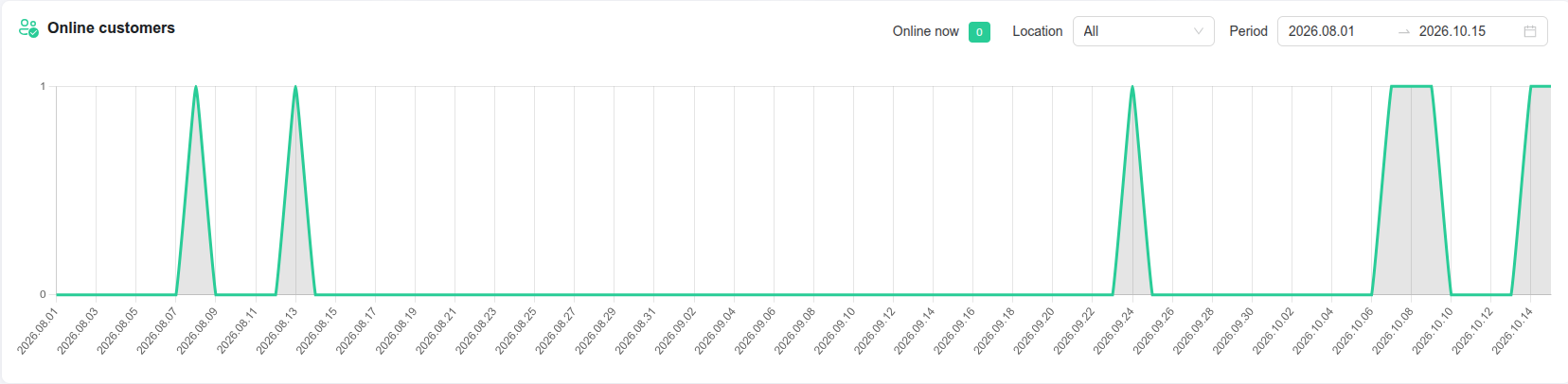
Online now is the number of customers connected at this moment — not a count of payments or of customers who paid today. A customer is counted once, even with several devices.
A high Online now next to modest sales for today is normal: many of the people online paid earlier for plans that are still valid, and returning devices reconnect without a new payment.
The chart shows the highest number online in each time slot. Use Period to choose the time range (today by default) and Location to narrow it down. A customer is counted under the location of their voucher.
Active customers
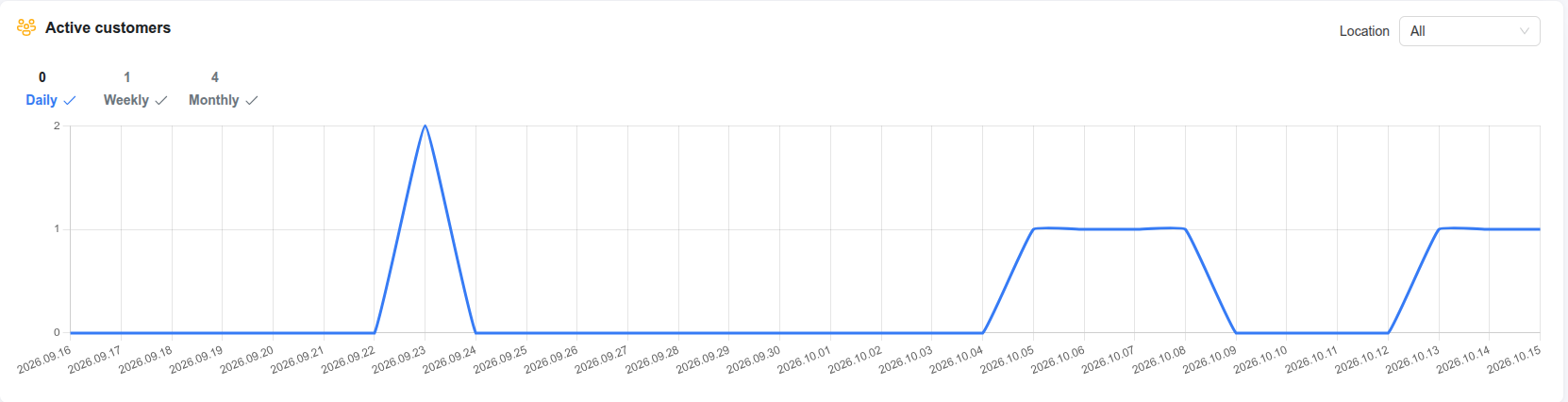
The number of different customers online per day, week or month — switch between Daily, Weekly and Monthly. The three numbers above the chart are today, this week and this month. Values are approximate. This is not the same as Online now: 100 customers online right now and 290 different customers during the day is perfectly normal.
Traffic usage
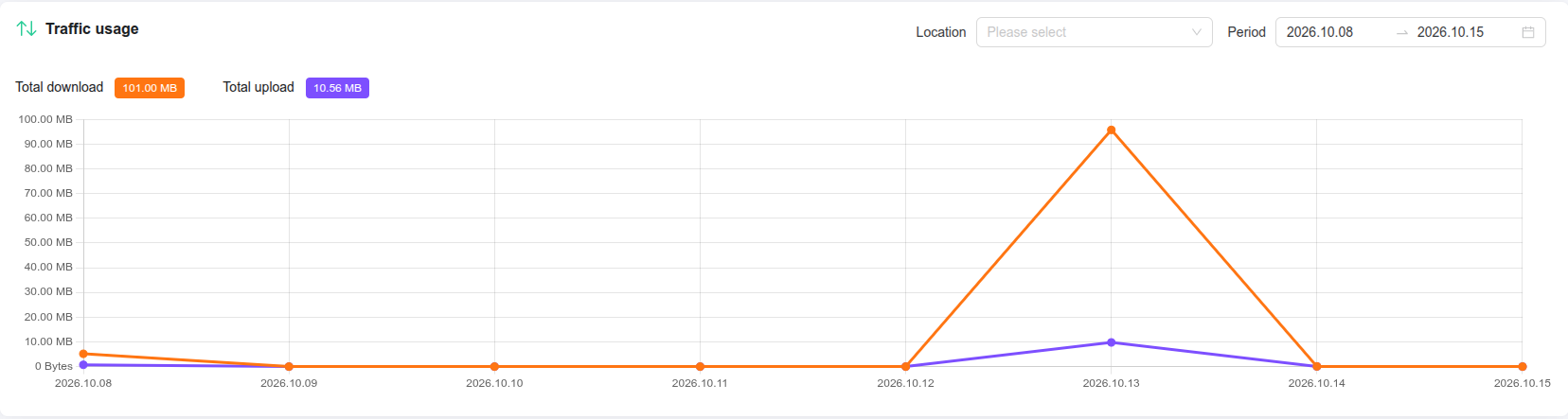
Download and upload traffic per day, with totals for the selected period (the last 7 days by default). The filter is labelled Location, but it lists hotspots — to see a whole location, select all of its hotspots. With nothing selected, the totals cover all hotspots. If you select a single day, only the totals are shown.
Payments for period
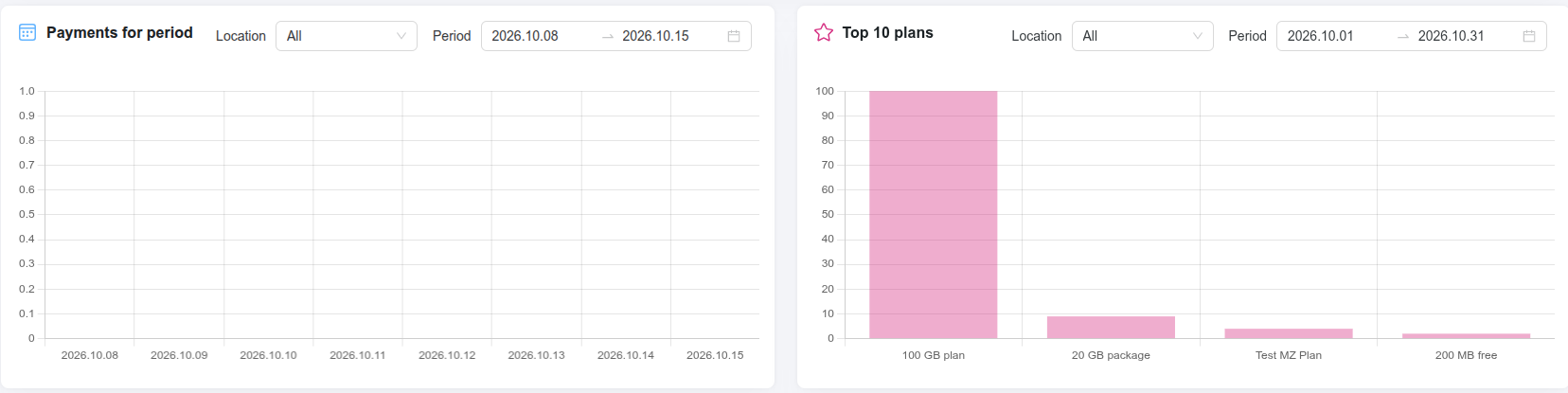
The total amount of payments per day (or per month for longer periods), for the last 7 days by default. It can be filtered by location.
Top 10 plans
The plans with the most vouchers created in the period (the current month by default) — including vouchers you generated in series that haven't been sold or used yet.
Things to know
- The Dashboard loads its figures when you open it. Click the Refresh button at the top to update them.
- Clicking through from a card opens the related list with its own filters, so the number there can differ from the card.
- For revenue comparisons between periods and per-hotspot sales, use Finance analytics.