Orange Money (Senegal)
Orange Money is one of the most widely used mobile wallet in Senegal. Once you enable it, your customers can pay for WiFi plans and vouchers straight from their Orange Money or Max it app, or on Orange's secure payment page, and their access starts as soon as the payment is confirmed.
INFO
Orange Money is available to businesses in Senegal and charges in XOF (CFA franc). Your system currency must be set to XOF.
Before you start
You need an Orange Money merchant account with Orange Sonatel:
- Client ID and Client secret from your application on the Orange Sonatel developer portal
- Your six-digit merchant code (the Orange Money account that receives the money)
Orange gives you test (sandbox) keys first. Live keys come after Orange approves your business.
Set up Orange Money
- Go to
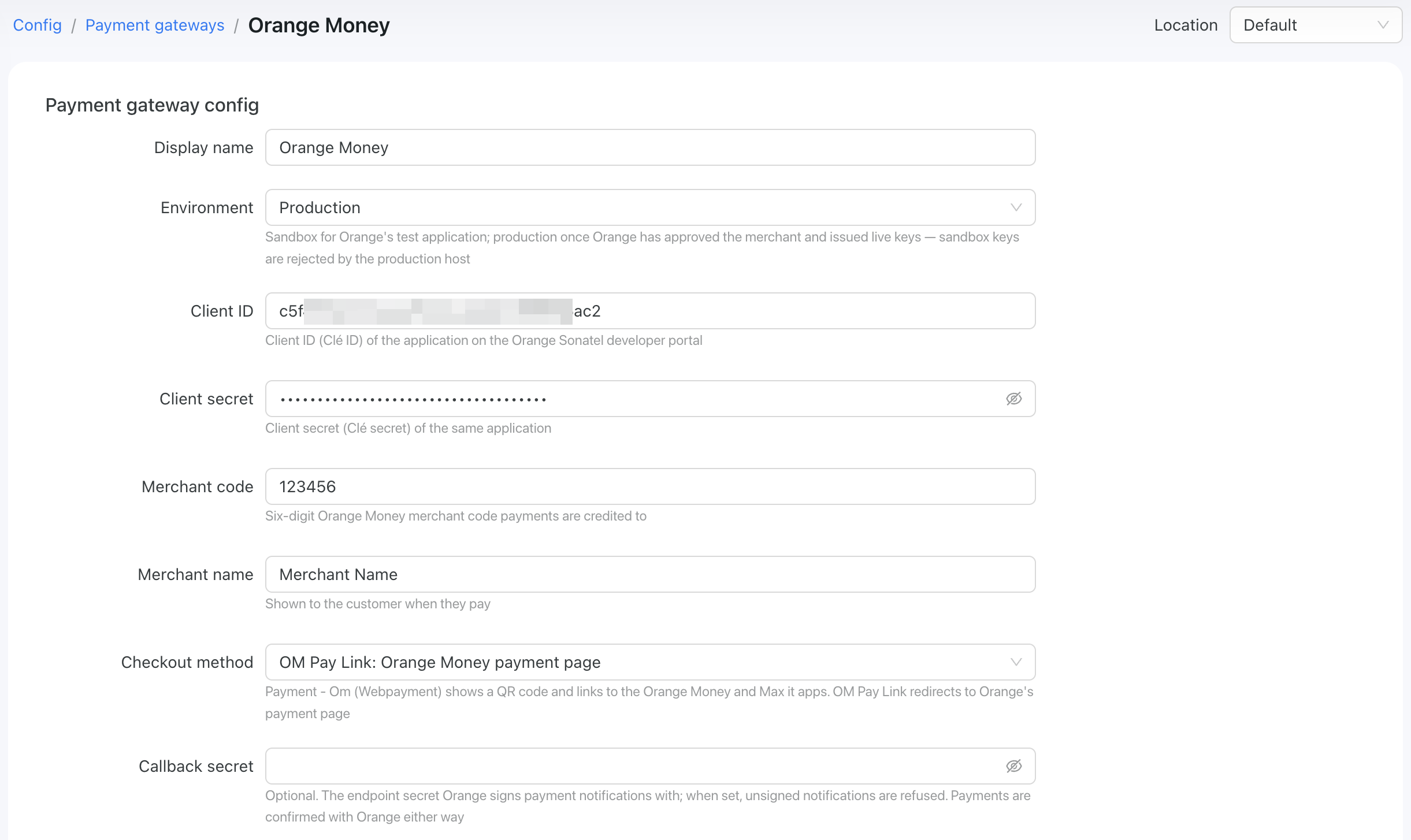
Config → Finance → Payment gatewaysand add Orange Money. - Fill in the form:
- Environment –
Sandboxfor testing with Orange's test keys,Productiononce Orange has issued live keys. Test keys don't work in Production, and live keys don't work in Sandbox. - Client ID – the Client ID of your Orange application.
- Client secret – the matching secret. It is stored encrypted.
- Merchant code – your six-digit Orange Money merchant code.
- Merchant name – the business name your customers see when they pay.
- Checkout method – how customers pay at this location (see below).
Choose a checkout method
Each WiFi location uses one checkout method.
- OM Pay Link: Orange Money payment page – the customer is sent to Orange's own payment page and pays there. Use this for hotspots and captive portals. Phones often block app links inside the login window, and the Orange Money app needs internet, which the customer doesn't have yet.
- Payment - Om (Webpayment): QR code and app links – the customer sees a QR code plus Open Orange Money and Open Max it buttons. Use this where customers are already online, for example the customer portal or reseller top-ups. They can scan the code with a second phone or tap a button to pay on the same phone.
TIP
These names match Orange's product names, so you can match them to the products your Orange application is subscribed to. A sandbox application issued for one product may not work with the other.
Changing the method only affects new payments. A payment that is already open keeps the method it started with.
Enable Payment Gateway for a Location
The next crucial step is to enable Orange Money for a specific location. Navigate to Locations, select the desired location, and open the "Payment Gateways" tab. From there, enable Orange Money for this location:
If it's disabled, your clients will not have the option to pay with PayFast.
Networking: Walled Garden
Another crucial step is to configure the allow list of hosts on your hotspot. For instance, if you've connected a Mikrotik hotspot using this manual, you now need to add a list of allowed hosts related to Orange Money. This allows your customers to be redirected to the 3D authentication page during the payment process. You can find more about Mikrotik Walled Garden here.
To do this, you should access your router (in my case, Mikrotik), open the Terminal, and run this command with the list of hosts you wish to allow:
/ip hotspot walled-garden
add dst-host=*.powerlynx.app
add dst-host=*om-pay.com
/ip hotspot walled-garden
add dst-host=*.powerlynx.app
add dst-host=*om-pay.comIt might be useful to visit our forum, especially this topic, to discuss all questions related to the walled garden.
What your customers see
Paying on Orange's payment page (hotspots)
- The customer chooses Orange Money on the payment page.
- They are taken to Orange's secure page and pay there.
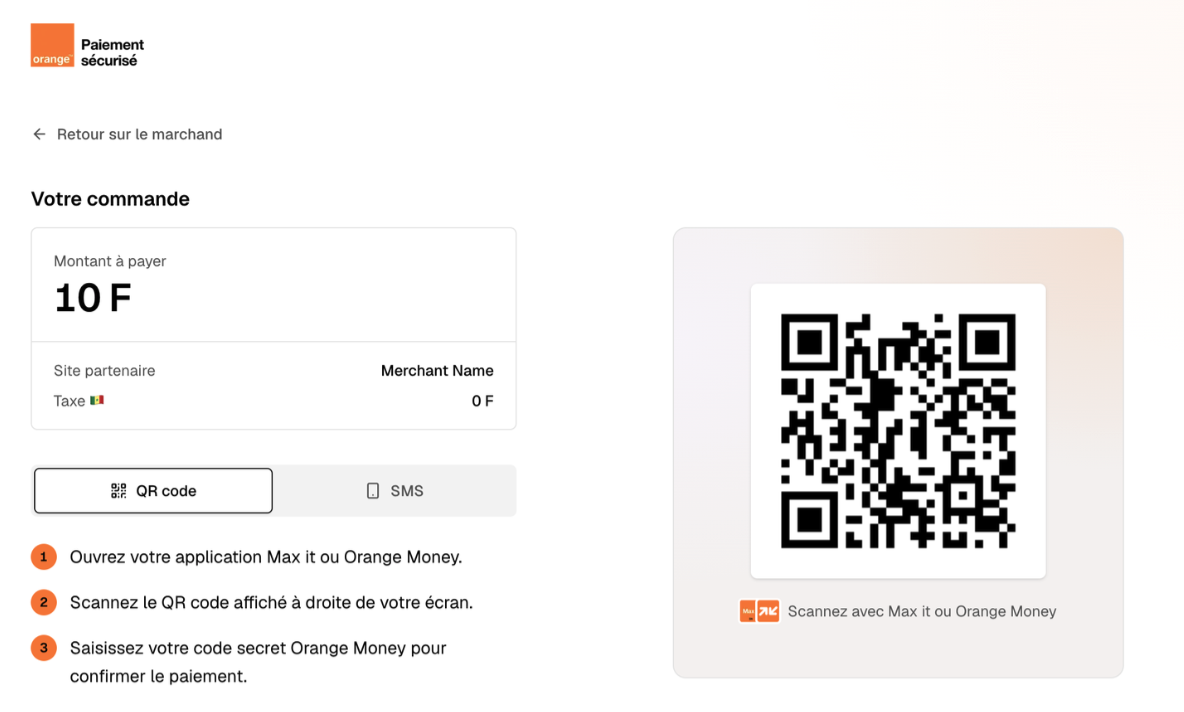
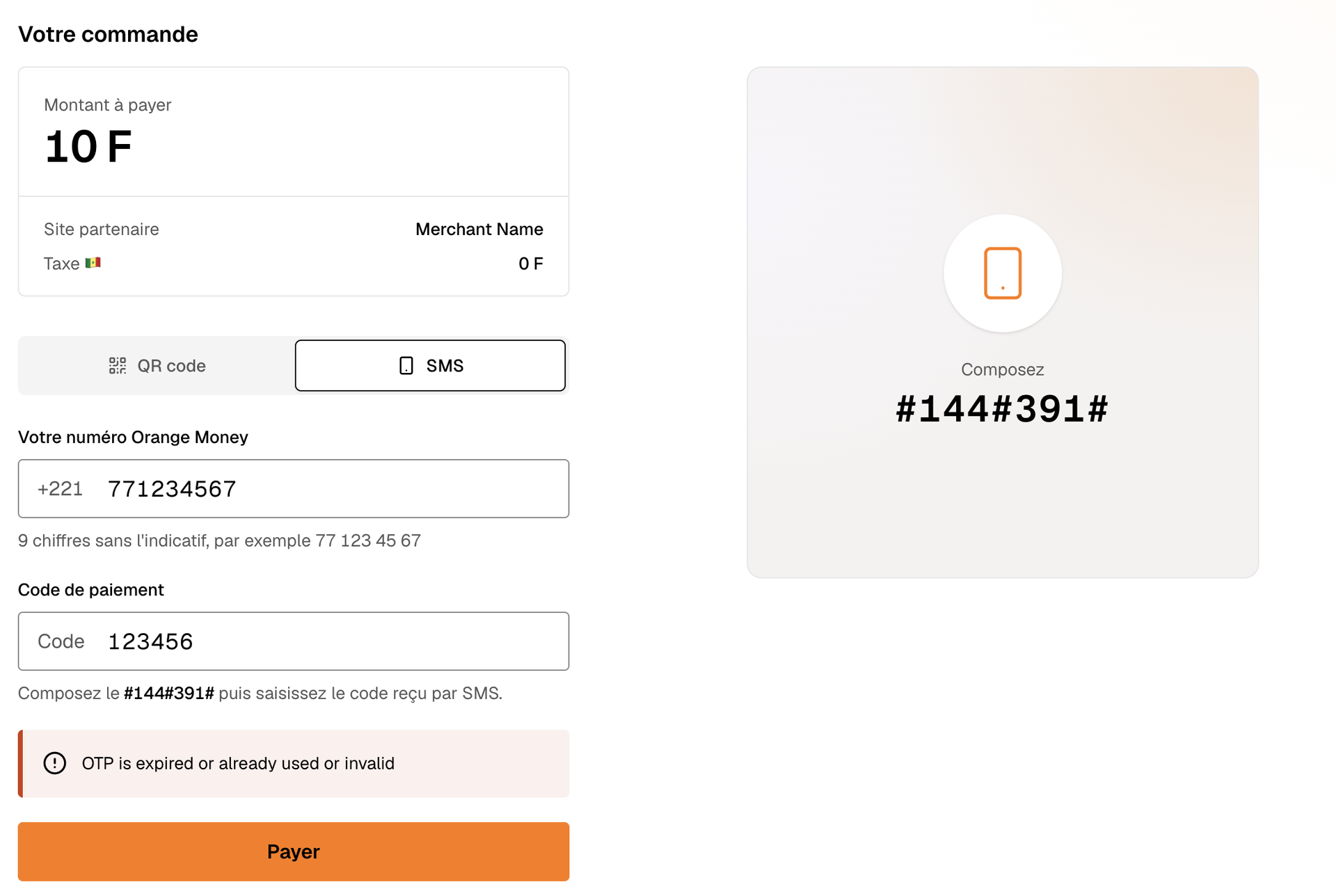 3. They return to Powerlynx and their access starts as soon as Orange confirms the payment.
Good to know
- Only confirmed payments count. A purchase is completed only after Orange confirms the payment for the exact amount charged.
- Whole amounts only. Orange Money Senegal doesn't accept fractions of a franc. If a plan's price has decimals or the currency isn't XOF, the customer can't check out with Orange Money.
- Payments expire after 15 minutes. If the customer doesn't finish in that time, they start a new purchase.
- No double charges. Reloading the payment page doesn't create a second payment.
- Cancelled or failed attempts can be retried, for example after the customer tops up their balance.
Troubleshooting
- "This payment can no longer be completed" – the payment window expired. The customer starts a new purchase.
- Orange Money can't open the checkout – check the Client ID, Client secret, merchant code and Environment, then try again.
- A customer says they paid but have no access – confirm the payment in your Orange Money merchant report and contact support with the transaction ID.